Locaty - GPS Location Share
XFree Dev TeamMaps & Navigation
3.87.00 Reviews
- Version
- 1.0.10
- Installs
- 100.00K
- Age Rating
- Everyone
Screenshots
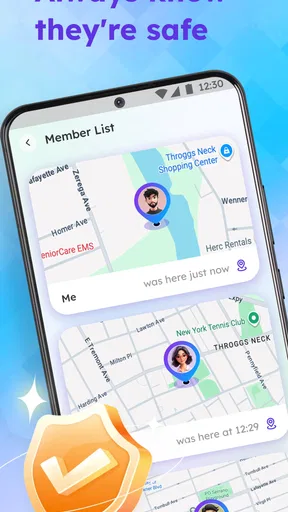
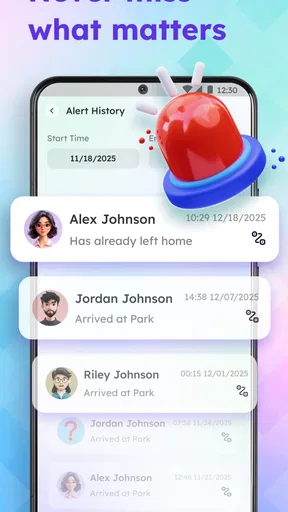
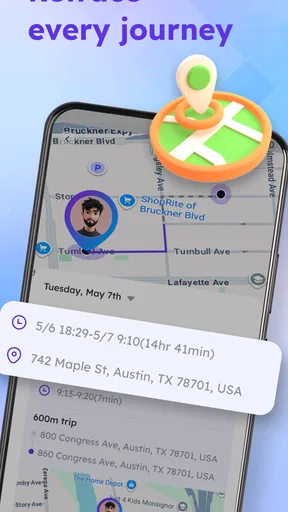
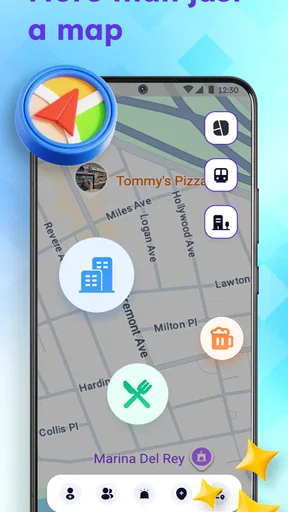
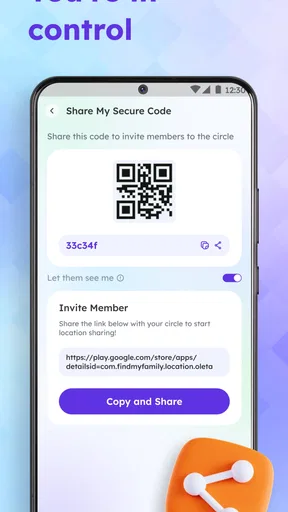
Our Review of Locaty - GPS Location Share
 Analysis by Appyee
Locaty - GPS Location Share is a location-focused app from XFree Dev Team that aims to make everyday sharing and alerts easier to manage. I see it as a practical tool for people who occasionally need to tell trusted contacts where they are, rather than as a complete replacement for a full navigation suite. Its place in Maps & Navigation is clear, but the experience is more about communication and awareness than turn-by-turn route planning.
After spending time with the app, my main impression is that its value depends on a simple question: do you need a lightweight way to share your position and stay connected, or do you need detailed maps, traffic information, and mature navigation tools? Locaty is most interesting for the first situation. It is free to install, available to Everyone, and has passed the early discovery stage with over a hundred thousand installs. The current release is version 1.0.10, so I would still approach it as a relatively young product rather than a fully established alternative to the largest mapping platforms.
How Locaty feels when speed matters
The first thing I look for in a location-sharing app is how quickly I can get from opening it to taking the useful action. A location tool becomes frustrating when its main task is buried under unnecessary screens. Locaty’s purpose is narrow enough to make that workflow understandable: stay connected, share a position, and use alerts when they are helpful. That focus gives it a more direct feel than opening a large navigation app simply to send someone my whereabouts.
There is an important distinction between the app feeling quick and the location itself being instantly precise. The interface can respond promptly while the phone is still obtaining or refining its position. That is normal for GPS-based tools, especially indoors, between tall buildings, or when the device has been idle for a while. I would therefore judge Locaty by how clearly it communicates the current location state, not by expecting every position request to be perfect immediately.
For a quick “I’m on my way” message, the app makes more sense than a full route planner. I do not need a list of nearby businesses, a complicated map layer, or a long destination search just to reassure someone. That narrower workflow is one of Locaty’s strongest practical ideas. The real speed advantage is reducing the number of decisions between opening the app and sharing useful location information.
Still, users should not confuse location sharing with navigation speed. If I am driving somewhere unfamiliar, I would choose a dedicated navigation service for route calculation, road guidance, traffic context, and rerouting. Locaty belongs beside that kind of app, not necessarily in its place. I would use it to tell a contact where I am while relying on another tool to tell me where to go.
A realistic everyday routine
Imagine leaving work later than expected and meeting a friend across town. Instead of repeatedly typing updates, I could use Locaty to share my current position and give the other person a clearer sense of progress. If plans change, an alert-oriented workflow can be more useful than sending another vague message. The benefit is not dramatic technology; it is removing small bits of coordination friction from a situation people deal with every week.
Families may find a similar use during errands, school pickups, or separate journeys to the same event. I would be careful, though, about treating any location app as a substitute for conversation or emergency services. A shared position is helpful context, but it should not become the only safety plan. Before depending on it, I would test the exact sharing and alert routine with the people who are meant to receive it.
What happens during heavier use
Locaty’s workload can change considerably depending on how I use it. A one-time position share is a light, occasional task. Repeated updates, several active contacts, or frequent alerts create a more demanding session because the phone has to keep location information available and communicate changes. That difference matters more than the app’s basic launch speed.
For casual users, I would expect the app to feel most comfortable when it is opened for a specific purpose and then closed. That approach also avoids turning location sharing into an always-on habit. If I were coordinating a long outing, I would first decide how often I genuinely need updates. Constant checking can add battery pressure and create unnecessary noise for everyone involved, even when the app itself remains responsive.
A useful workflow is to prepare the sharing arrangement before leaving rather than waiting until the phone is already busy. I would check that the intended contact is correct, confirm what kind of alert is needed, and make sure the phone has a usable connection. This is a small habit, but it prevents the most common kind of failure: discovering a setup problem at the exact moment someone is waiting for an update.
Heavy use also exposes the trade-off between convenience and privacy. The more often a position is shared, the more valuable the service may feel for coordination, but the more carefully I need to consider who can see it and for how long. Locaty’s central appeal is connection, yet responsible use means treating each sharing action as deliberate rather than automatic.
Where the app may feel less comfortable
Location work is affected by the phone, the surroundings, and the network as much as by the application. Underground areas, enclosed buildings, dense urban streets, and weak connectivity can all make a location workflow feel slower or less certain. If I were testing Locaty for an important routine, I would test it in the actual places where I plan to use it instead of judging it only from an open outdoor area.
I would also avoid assuming that background behavior will be identical on every Android device. Manufacturers sometimes manage background activity aggressively, and a phone may restrict an app that has not been used recently. Since Locaty is designed around location sharing and alerts, those device-level decisions can matter. The practical lesson is to check the app during a normal day, with the screen off and the phone moving between Wi-Fi and mobile data, before trusting it for a time-sensitive arrangement.
That is not a criticism unique to Locaty; it is a reality of this category. However, newer location-sharing apps have less room for uncertainty because people often judge them at the moment they need reassurance. A map that loads a little slowly is inconvenient. An alert that arrives later than expected can undermine confidence in the whole workflow.
Reliability, recovery, and sensible testing
My view of Locaty’s reliability is cautious but positive in concept. The app has a focused job, which can make it easier to understand than a broad platform packed with unrelated map features. At the same time, its usefulness depends on several links working together: the device must determine a position, the app must handle the sharing action, and the intended person must receive the result. A failure anywhere along that chain may look like an app problem even when the underlying cause is the phone or network.
For that reason, I would build confidence gradually. First, I would make a simple test share with a trusted person. Then I would repeat it from a different location and while moving. Finally, I would try the alert workflow that I expect to use in real life. This staged approach reveals whether the app fits my routine without putting an important appointment or family plan at risk.
Recovery is just as important as the first successful share. If an update does not appear, I would check the phone’s connection, reopen the app, and confirm that the intended sharing state is still active before sending a fresh update. I would not keep tapping repeatedly without checking what has already happened, because duplicate actions can create confusion for the recipient. A calm retry process is better than assuming the first attempt failed.
There is also a human recovery step. I would agree with regular contacts on a backup method, such as a normal message or call, especially for travel in places where coverage may be unreliable. Locaty can simplify coordination, but no location-sharing app should be the sole channel for urgent communication. That is particularly important for families using it as a reassurance tool.
The public response so far suggests a product that people are still evaluating rather than one with an overwhelming consensus. Locaty holds a 3.8 average from around two hundred ratings, with only a small set of written reviews. I would treat that as a reason to form my own opinion through a short trial, not as proof that the app is either unreliable or universally polished. Written feedback is limited, so hands-on testing is more useful than reading a handful of broad impressions.
Privacy habits I would use
Because the app deals with location, I would keep sharing as specific and temporary as my situation allows. I would avoid sending my position to a large group when one trusted contact is enough. I would also review active arrangements after an outing, rather than assuming that a share or alert naturally ends when my plans change.
This is one of the less obvious trade-offs of Locaty: its convenience can encourage passive sharing. The more effortless the process becomes, the easier it is to forget that location is sensitive information. I recommend deciding in advance who needs the information, what problem it solves, and when you will stop using it. That habit makes the app more useful and reduces accidental oversharing.
Device limits and cost considerations
Locaty supports Android devices running version 7.0 or later, which gives it a broad reach across older and newer phones. That does not mean every supported device will deliver the same experience. GPS hardware, battery condition, manufacturer software, screen size, and background restrictions can all affect how comfortable location sharing feels. On an older phone, I would pay particular attention to whether switching between Locaty and another app interrupts the task or makes updates feel delayed.
Resource demands are difficult to judge from the app’s category alone. A one-off share should be less demanding than prolonged tracking or repeated alert activity, but the phone’s own location services remain part of the equation. If battery life is already a concern, I would avoid leaving location-heavy workflows active unnecessarily and would test the app during a normal day before making it part of a daily routine.
The app is free to download, while optional in-app purchases range from a few dollars to around thirteen dollars per item. That makes the initial trial accessible, but I would still inspect the purchase choices carefully before paying. The important question is whether a paid option solves a problem I actually have, rather than treating every extra as necessary for basic location sharing. Casual users may be perfectly satisfied without spending anything, while frequent users should compare the cost with alternatives they already use.
Locaty is intended for Everyone, which fits its straightforward communication purpose. Even so, an age label does not replace guidance for younger users. Parents should explain why location is being shared, who can receive it, and how to stop sharing when it is no longer needed. The app can support a family routine, but the routine should be designed by the family rather than left entirely to the software.
Since the developer is XFree Dev Team and the current version is still early in its product life, I would keep expectations realistic around long-term polish. The app may improve as more people use it, but I would not choose it solely because I expect future features. I would choose it for the workflow it offers today and reassess after using it in the situations that matter to me.
Who should choose Locaty over familiar alternatives?
I would recommend Locaty to someone who wants location sharing and alerts without turning every interaction into a full navigation session. It can suit friends coordinating a meeting, relatives checking progress during a journey, or anyone who wants a more visual update than a typed address. Its focused purpose is easier to explain to another person than a large platform with many unrelated functions.
I would choose a traditional maps app instead when the main need is route planning. Those services are usually the better fit for detailed directions, traffic-aware decisions, searching for places, and navigating unfamiliar roads. Locaty may complement them by handling the “where am I now?” conversation, but I would not rely on it as my only driving companion.
I would also skip Locaty if I need a mature, highly predictable system for critical operations or formal fleet management. A personal location-sharing tool is not automatically the right answer for professional dispatch, regulated work, or situations that demand documented procedures. In those cases, a specialized service with the required controls and support would be more appropriate.
Another reason to skip it is if my contacts are unwilling to install or learn another app. Location sharing only helps when the people involved understand the workflow. If everyone already uses a familiar platform and does not want another tool, the practical advantage may disappear. The best technology here is the one the whole group will actually use correctly.
One of Locaty’s more useful roles is as a companion to existing tools. I can imagine using a conventional map for directions, Locaty for a deliberate location share, and ordinary messaging for context. That division keeps each tool focused. It also prevents the common mistake of expecting one app to handle navigation, communication, safety planning, and emergency response equally well.
My performance verdict after weighing the trade-offs
Locaty is appealing because it concentrates on a real everyday need: helping people share where they are and coordinate with less back-and-forth. I like that its purpose is easier to understand than the crowded feature set of a general mapping platform. For short, intentional sessions, it has the potential to feel quicker simply because it asks me to do less.
My reservations are equally practical. Location accuracy and delivery depend on more than the app, background behavior can vary by phone, and prolonged use deserves attention to battery and privacy. The limited written feedback also means I would not make it the foundation of an important safety routine without testing it first. Those are not reasons to dismiss it; they are reasons to use it thoughtfully.
My recommendation is to try Locaty as a focused location-sharing companion, not as a universal navigation replacement. Start with a trusted contact, test a normal share and an alert in the places you use most, and keep a backup communication method available. If that small trial feels dependable and the workflow suits your group, the free entry point makes it easy to keep. If you need detailed routes, advanced navigation context, or professional-grade reliability, a more established alternative will probably serve you better.
Overall, I see Locaty - GPS Location Share as a promising, narrowly aimed app from XFree Dev Team. Its best experience comes when I use it deliberately: share only with the right people, avoid unnecessary continuous activity, and understand the limits imposed by the phone and network. Used that way, it can make ordinary coordination simpler without pretending to solve every problem that maps and location services create.
Verdict
Strengths of Locaty - GPS Location Share
- Quickly shares your live GPS location with selected contacts.
- Simple interface makes location sharing easy for nontechnical users.
- Useful for coordinating meetups, trips, and family check-ins.
- Location updates can improve safety during outdoor activities.
- Works well for sharing a precise meeting point temporarily.
Limitations of Locaty - GPS Location Share
- Continuous GPS use may noticeably reduce battery life.
- Privacy depends on trusting the people who receive your location.
- Some features may require account creation or additional permissions.
- Location accuracy can drop indoors or in areas with weak signals.
- Background tracking may be limited by phone battery-saving settings.
Similar Picks in This Category
View All
Uber - Request a ride
Uber Technologies, Inc.4.7


inDrive. Rides with fair fares
® SUOL INNOVATIONS LTD4.8

Yandex Go: Taxi Food Delivery
Mikromobilnost LLC Belgrade4.8

Bolt: Request a Ride
Bolt Technology4.8

Rapido: Bike-Taxi, Auto & Cabs
Rapido Bike Taxi4.8
Frequently Asked Questions
What is Locaty - GPS Location Share used for?
Locaty - GPS Location Share is designed to help you share your current GPS position with selected people. It can be useful when meeting friends, coordinating family members, checking someone’s estimated location, or sending your position during travel. Before downloading, keep in mind that its usefulness depends on your phone’s location services, internet connection, and the permissions you allow the app to access.
How accurate is the location shown in Locaty?
The location displayed by Locaty can vary depending on GPS signal strength, Wi-Fi availability, mobile network coverage, weather conditions, and whether you are indoors or surrounded by tall buildings. In open outdoor areas, the position is generally more reliable, while underground locations or weak-signal areas may produce delays or less precise results. The app should therefore be treated as a convenience tool rather than a guaranteed tracking system.
Does Locaty require continuous access to my location?
Locaty may require location permission to obtain and share your position, but the exact access needed can depend on the features you use and your device’s operating system. You should review whether the app requests access only while in use or also in the background. Granting background permission may support ongoing sharing, but it can affect battery life and has additional privacy implications.
Can I control who sees my location in Locaty?
Location sharing should always be handled carefully, and Locaty is intended for sharing your position with people you choose. Before using the app, check how sharing invitations, links, contacts, or sessions are managed and whether you can stop sharing at any time. Avoid sending your location publicly or to unknown users, and regularly review active sharing permissions to prevent unwanted access.
Will using Locaty drain my phone’s battery or use mobile data?
Like most GPS and location-sharing applications, Locaty can consume additional battery power when it frequently checks or updates your position, particularly when background location access is enabled. Sharing location also requires an internet connection and may use mobile data when Wi-Fi is unavailable. If battery or data usage becomes noticeable, reduce update frequency, stop sharing when finished, and review the app’s background permissions.
